
How to Get Customers to Leave Reviews on Google for Your Shop or Restaurant
You know reviews matter. A strong Google rating can be the difference between a packed restaurant and empty tables. Between a thriving shop and one that struggles to attract new customers.
But getting customers to actually leave reviews? That’s where most businesses get stuck.
People visit. They enjoy the experience. They leave happy. And then… nothing. No review. No rating. Just another satisfied customer who never told the world about it.
The good news: getting more Google reviews isn’t about luck or constantly asking. It’s about psychology, timing, and removing friction. Here are the most effective strategies to turn your happy customers into active reviewers.
1. Display Your Google Reviews In-Store (The Social Proof Loop)
This is the single most effective strategy — and the one most businesses overlook completely.
Here’s the psychology: people are far more likely to leave a review when they see that others have left reviews.
It’s called the social proof loop. When a customer sees “4.8 ★ from 312 reviews” displayed prominently in your shop or restaurant, several things happen:
- They trust your business more (social proof)
- They realize reviews are important to you
- They see that leaving a review is normal behavior
- They want to contribute to something others are part of
A static sign saying “Please review us on Google” provides none of this. There’s no proof anyone has reviewed. No sense of community. No motivation.
But a live display showing your actual rating and review count? That changes everything.
How to Implement This
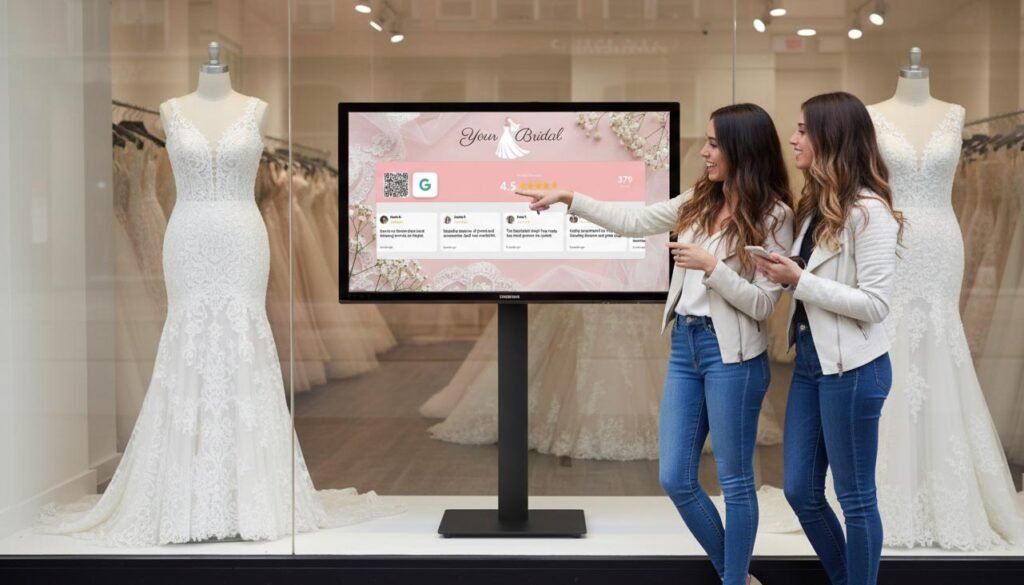
Services like Social Counters let you display your live Google Reviews rating on any screen — TV, tablet, or monitor. The rating updates automatically as new reviews come in.
Pair this with a QR code that takes customers directly to your Google review page. No searching, no friction. Scan, tap, review.
Where to place it:
- Near the checkout/register (customers are already waiting)
- In the waiting area (restaurants, salons)
- By the exit (captures customers while experience is fresh)
- At each table (restaurants) via table tents with QR codes
Why it works: When customers see “287 reviews” on your display and then see the number change to “288” the next week, they realize their review actually matters. It’s visible. It counts. That motivation drives action.
Businesses using live review displays report 2-3x more reviews compared to traditional “Review us on Google” signs.
2. Ask at the Perfect Moment
Timing is everything. Ask too early and the customer hasn’t fully experienced your service. Ask too late and the emotion has faded.
The perfect moment is right after peak satisfaction:
For restaurants:
- When the customer compliments the food
- When they say “that was delicious”
- Right after dessert, before the bill
- NOT when they’re rushing to leave
For retail shops:
- After they express excitement about their purchase
- When they thank you
- During the payment process
- NOT while they’re still browsing
For service businesses (salons, barbershops):
- When they look in the mirror and smile
- When they say “I love it!”
- As they’re paying
- NOT via email two days later
The key: Catch the emotional high point. That’s when people are most willing to take action.
What to Say
Keep it natural and specific:
❌ “Can you leave us a Google review?”
✅ “So glad you enjoyed it! If you have a moment, a Google review would really help us out. There’s a QR code right here that takes you straight there.”
Making it easy (QR code) and genuine (acknowledging their satisfaction) dramatically increases conversion.
3. Make It Stupidly Easy
Every extra step you add loses customers. The traditional review process has too many:
- Remember the business name
- Open Google Maps
- Search for the business
- Find the correct listing
- Scroll to reviews
- Click “Write a review”
- Write and submit
That’s seven steps. Most people abandon this journey.
Reduce it to two steps:
- Scan QR code
- Write review
How to Create a Direct Review Link
Google lets you create a direct link to your review form:
- Go to Google Business Profile Manager
- Click “Get more reviews”
- Copy your review link
- Generate a QR code from this link
Or use Social Counters which automatically generates the QR code alongside your live review display — combining social proof with instant action.
Pro tip: Test the QR code yourself. Make sure it goes directly to the review form, not just your business listing.
4. Respond to Every Single Review
This seems unrelated to getting MORE reviews, but it’s directly connected.
When potential reviewers see that you respond to reviews — both positive and negative — they know their review will be read. It will matter. Someone will acknowledge it.
For positive reviews:
- Thank them specifically
- Mention something personal if possible
- Keep it genuine, not corporate
Example: “Thanks so much, Sarah! We’re thrilled you enjoyed the pasta — it’s our chef’s favorite dish too. Hope to see you again soon!”
For negative reviews:
- Respond promptly and professionally
- Acknowledge their experience
- Offer to make it right
- Take the conversation offline
Example: “We’re sorry to hear about your experience, Mark. This isn’t the standard we aim for. Please reach out to us at [email] so we can make this right.”
Why this drives more reviews: Customers see you care. They see reviews lead to dialogue. Their review won’t disappear into a void — it will be read and appreciated.
5. Train Your Staff (And Make It Their Win Too)
Your team interacts with customers far more than you do. They need to understand why reviews matter and how to ask naturally.
Train Them On:
- When to ask: Right after positive feedback, never when customers seem rushed
- How to ask: Natural, not scripted. “If you have a sec, a Google review would mean a lot to us”
- How to point to the QR code: “Just scan that code right there — takes 30 seconds”
- When NOT to ask: If something went wrong, if the customer seems unhappy, if it would feel pushy
Make It Their Win
Consider tying reviews to team recognition:
- Celebrate when reviews mention staff by name
- Share positive reviews in team meetings
- Create friendly competition between shifts
- Small bonuses or perks for review milestones
When staff feel ownership over reviews, they’ll naturally encourage more of them.
6. Use Receipts and Packaging
Every transaction is a review opportunity.
On receipts:
- Add a short message: “Enjoyed your visit? Leave us a Google review!”
- Include a QR code
- Keep it simple — don’t clutter with other promotions
On packaging (retail):
- Include a small card with QR code
- “Love your purchase? Let us know on Google!”
- Works especially well for online orders with in-store pickup
On table tents (restaurants):
- QR code directly to Google review
- Your current rating displayed: “We’re at 4.8 ★ — help us reach 5.0!”
- Clean design, not cluttered with other information
The advantage of physical touchpoints: customers see them at the moment of transaction, when satisfaction is highest.
7. Follow Up (Carefully) via Email
Email follow-ups can work, but they’re less effective than in-person asks because the emotional moment has passed.
If you use email:
- Send within 24 hours (not a week later)
- Keep it short — one clear ask
- Include the direct review link (not just “find us on Google”)
- Don’t send multiple reminders (annoying and counterproductive)
Sample email:
Subject: How was your visit yesterday?
Hi [Name],
Thanks for stopping by [Business] yesterday! We hope you enjoyed [specific item/service].
If you have 30 seconds, we’d love to hear your thoughts on Google. Your feedback helps us improve and helps others discover us.
[Leave a Review] (button with direct link)
Thanks again, [Your name]
Important: Don’t email everyone. Target customers who had positive experiences. A request after a mediocre experience can backfire.
8. Never Buy or Fake Reviews
It needs to be said: never buy reviews, never offer incentives for positive reviews, never create fake reviews.
Why it’s a terrible idea:
- Google will catch you. Their algorithms detect fake review patterns. Your listing could be penalized or removed.
- Customers can tell. Fake reviews often sound generic. Savvy customers spot them and lose trust.
- It’s against Google’s terms. Violations can result in permanent suspension of your business listing.
- It’s not sustainable. You need ongoing fake reviews to maintain the illusion. It’s a treadmill you can’t exit.
What you CAN do:
- Ask for reviews (no incentive required)
- Make it easy to review
- Display your reviews to encourage more
- Respond to all reviews
Building authentic reviews takes longer, but the results are real and permanent.
9. Address Why Customers Don’t Review
Understanding the barriers helps you remove them.
“I don’t have time” → Solution: QR code that takes 30 seconds. Mention how quick it is.
“I forgot” → Solution: Ask at the moment of satisfaction, not later. Physical reminders (receipts, displays).
“I don’t know what to say” → Solution: Give prompts. “Just a quick note about your experience is perfect” or “Even just a star rating helps!”
“I didn’t know you wanted reviews” → Solution: Display your current reviews prominently. It signals that reviews matter to you.
“It’s too complicated” → Solution: Direct QR code. Test it yourself to ensure it’s frictionless.
10. Leverage Your Best Customers
Your regulars are your secret weapon. They already love you. They come back repeatedly. They just need a nudge.
How to approach regulars:
“Hey [name], you’ve been coming here for a while and we really appreciate it. If you ever have a moment to leave us a Google review, it would mean a lot. Totally no pressure, but it really helps us.”
Regulars often feel invested in your success. They WANT to help. They just didn’t know how.
Consider a “regulars review campaign”:
- Identify your top 20-50 regular customers
- Have the owner or manager personally ask them
- Make it feel special and genuine
- Don’t mass-email — make it personal
Twenty reviews from genuine regulars are worth more than a hundred from random one-time visitors.
Putting It All Together
The most effective approach combines multiple strategies:
- Display your live Google rating in-store with Social Counters — creating the social proof loop
- Add QR codes that go directly to your review page
- Train staff to ask at the right moments
- Respond to all reviews to show you’re listening
- Follow up selectively via email for positive experiences
You don’t need to implement everything at once. Start with #1 — displaying your reviews — because it creates the foundation. When customers see social proof, every other tactic becomes more effective.
The Long Game
Building a strong Google review profile doesn’t happen overnight. But it compounds.
More reviews → Higher visibility in search → More customers → More reviews
Each review makes the next one easier to get. Social proof builds on itself.
The businesses that dominate local search in 2026 aren’t the ones with the biggest ad budgets. They’re the ones with hundreds of authentic reviews, a strong rating, and a system that generates new reviews consistently.
Start with one improvement today. Display your reviews. Add a QR code. Ask one customer. Small actions compound into significant results.
Your happy customers want to help you succeed. You just need to make it easy for them.
