
How to Use QR Codes to Grow Your Social Media Following
Every day, hundreds of people walk through your business. They buy your products, enjoy your services, and leave happy.
Then they’re gone. No follow. No connection. No way to reach them again.
Meanwhile, you’re spending money on social media ads trying to reach strangers — while ignoring the warm audience walking right past you.
QR codes fix this. One scan, and a satisfied customer becomes a follower. No typing your username. No searching. No friction.
But most businesses use QR codes wrong. They slap a code on the wall, add no context, and wonder why nobody scans.
Here’s how to actually use QR codes to grow your social media following — strategically, effectively, and at scale.
Why QR Codes Work for Social Media Growth
QR codes aren’t new. But their effectiveness for social media growth is underutilized by most businesses.
The Friction Problem
Think about what you’re asking when you say “Follow us on Instagram @YourBusinessName”:
- Customer pulls out phone
- Opens Instagram app
- Taps search
- Types your username (hoping they spell it right)
- Finds the right account (not a fake or similar name)
- Taps Follow
Six steps. Each step loses people. By the time they’re searching, half have given up or gotten distracted.
The QR Code Solution
With a QR code:
- Customer pulls out phone
- Scans code (camera app does this automatically now)
- Taps the link
- Taps Follow
Four steps, and the hard ones (typing, searching) are eliminated. The path from “I should follow them” to actually following drops from 30 seconds to 5 seconds.
That reduction in friction can double or triple your conversion rate.
The Trust Element
QR codes also signal legitimacy. A business with professional QR code displays looks established. It says “We’re serious about our social presence. Join our community.”
Compare that to a handwritten “Follow us @…” on a sticky note. Same request, completely different perception.
Where to Place QR Codes (Strategic Positioning)
Location matters more than design. A beautiful QR code in the wrong place gets zero scans. A simple code in the right place gets hundreds.
High-Dwell Time Locations
Place QR codes where customers have time and nothing else to do:
Waiting areas:
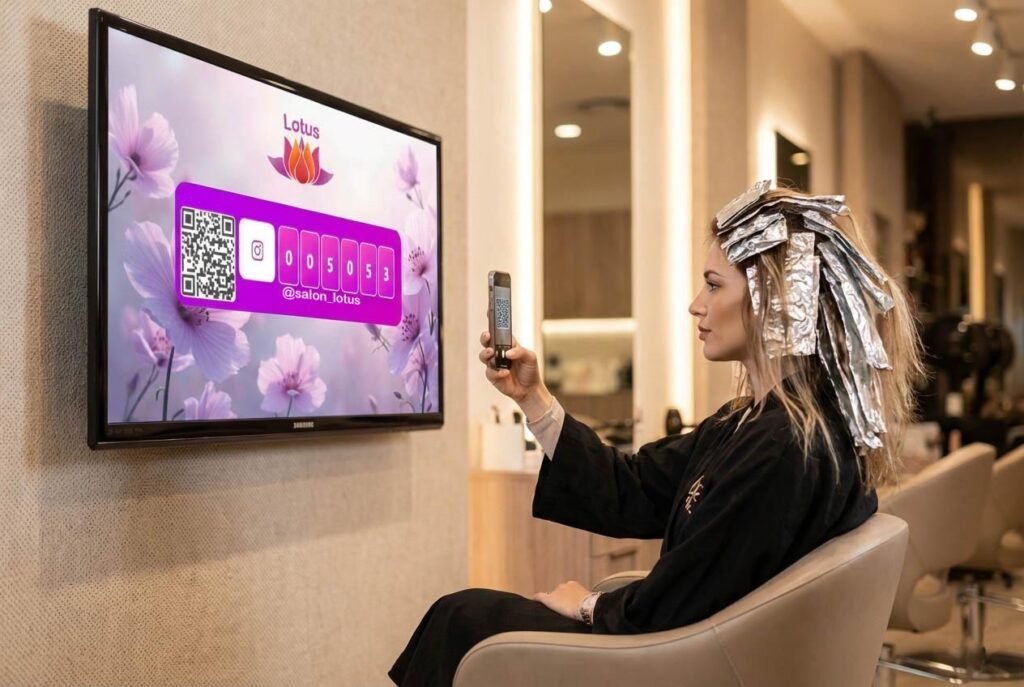
- Salon chairs (clients sit for 30-60 minutes)
- Restaurant tables (waiting for food)
- Checkout lines (standing with phone already out)
- Reception desks (waiting for appointments)
- Fitting rooms (deciding on purchases)
During service:
- Nail stations (45-90 minutes of sitting)
- Barber chairs (20-30 minutes)
- Massage waiting rooms
- Car service lounges
People in these situations are often bored and already on their phones. Give them something valuable to do.
Transaction Points
The moment of purchase is powerful — customers are engaged and satisfied:
At checkout:
- Counter displays
- On receipts
- Card terminal area
- Shopping bags
After service:
- On invoices
- Thank-you cards
- Appointment reminder cards
- Product packaging
Eye-Level, Natural Viewing Spots
QR codes should be where eyes naturally go:
- Bathroom mirrors: People look at themselves, see the code
- Elevator walls: Captive audience, nothing else to look at
- Menu boards: Already looking there
- Price tags: Examining products closely
- Window displays: Visible from inside and outside
The Exit Opportunity
The moment someone leaves is your last chance:
- Exit doors: “Loved your visit? Follow us!”
- Parking validation machines: Captive moment
- To-go bags: They’ll see it when unpacking at home
Places to Avoid
Some locations seem logical but don’t work:
- Behind the counter: Customers can’t reach to scan
- Too high or too low: Awkward scanning angles
- Near cluttered displays: Gets lost visually
- Outside in direct sunlight: Screen glare makes scanning hard
- Moving locations: Escalators, conveyor belts — too fast to scan
Designing QR Codes That Get Scanned
A QR code alone isn’t enough. The design and context around it determine whether people actually scan.
Size Matters
Minimum size: 2 x 2 cm (0.8 x 0.8 inches) for close-range scanning Recommended: 3 x 3 cm or larger for easy scanning Distance rule: For every 10 cm of scanning distance, add 1 cm to QR code size
A poster meant to be scanned from 2 meters away needs a much larger code than a table tent scanned from 30 cm.
Contrast Is Critical
QR codes need high contrast to scan reliably:
- Best: Black code on white background
- Good: Dark colors on light backgrounds
- Risky: Light colors on dark backgrounds
- Avoid: Low contrast combinations, busy backgrounds behind the code
Test every QR code with multiple phones before printing.
Branding Without Breaking
You can customize QR codes while keeping them functional:
Safe customizations:
- Adding your logo in the center (keep it small, under 30% of code area)
- Rounded corners on the squares
- Brand colors (maintain contrast)
- Custom frame around the code
Risky customizations:
- Altering too many squares
- Low contrast colors
- Complex backgrounds
- Overly artistic interpretations
When in doubt, keep it simple. A functional ugly code beats a beautiful broken one.
The Call-to-Action Frame
Never display a naked QR code. Always add context:
Weak (no context):
[QR CODE]Better (basic instruction):
Follow us on Instagram
[QR CODE]
@YourBusiness
Best (benefit + social proof):
Join 15,000+ followers
[QR CODE]
📸 @YourBusiness
Daily inspiration & exclusive offers
The frame around your QR code should answer:
- What happens when I scan? (Follow on Instagram)
- Why should I scan? (Daily inspiration, exclusive offers)
- Who else has scanned? (15,000+ followers = social proof)
The Power Move: QR Codes + Live Follower Counters
Here’s where most businesses miss a huge opportunity.
A QR code alone says “Follow us.”
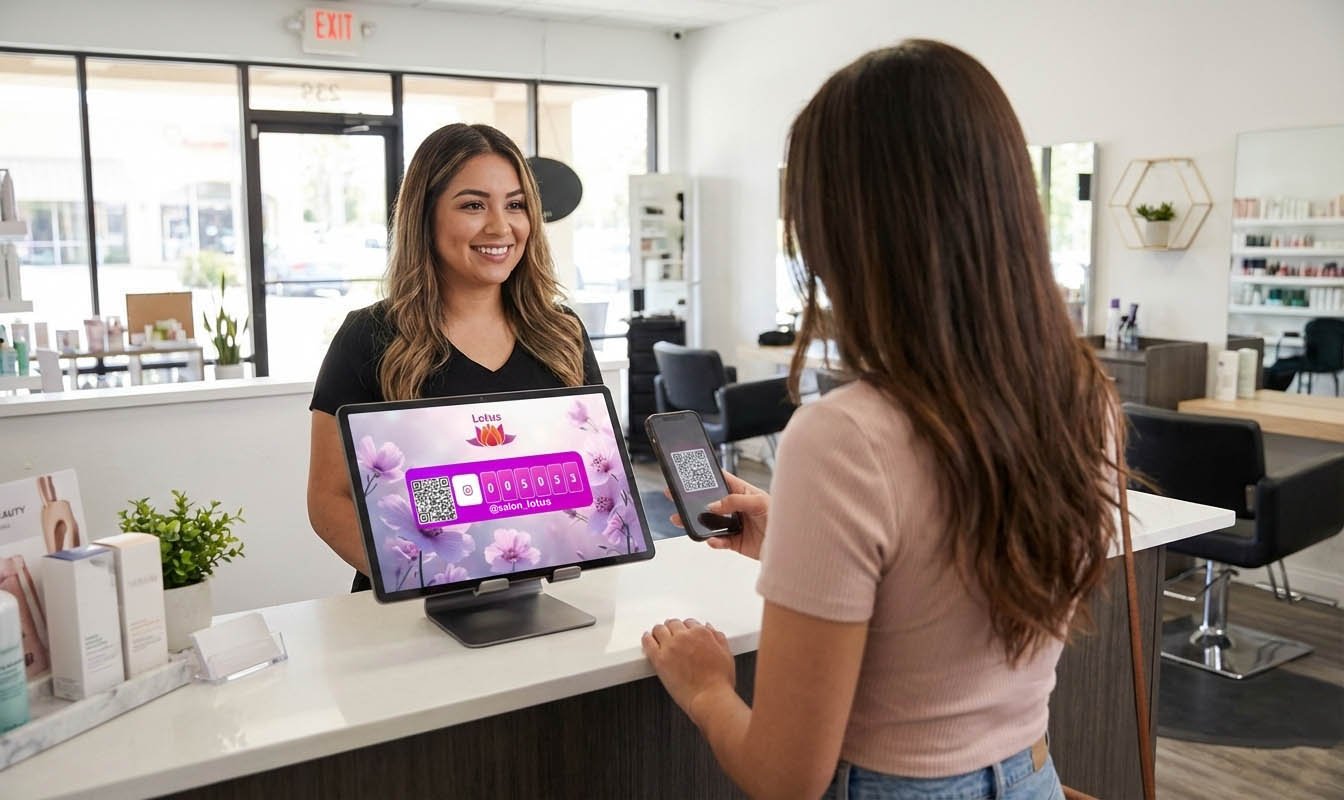
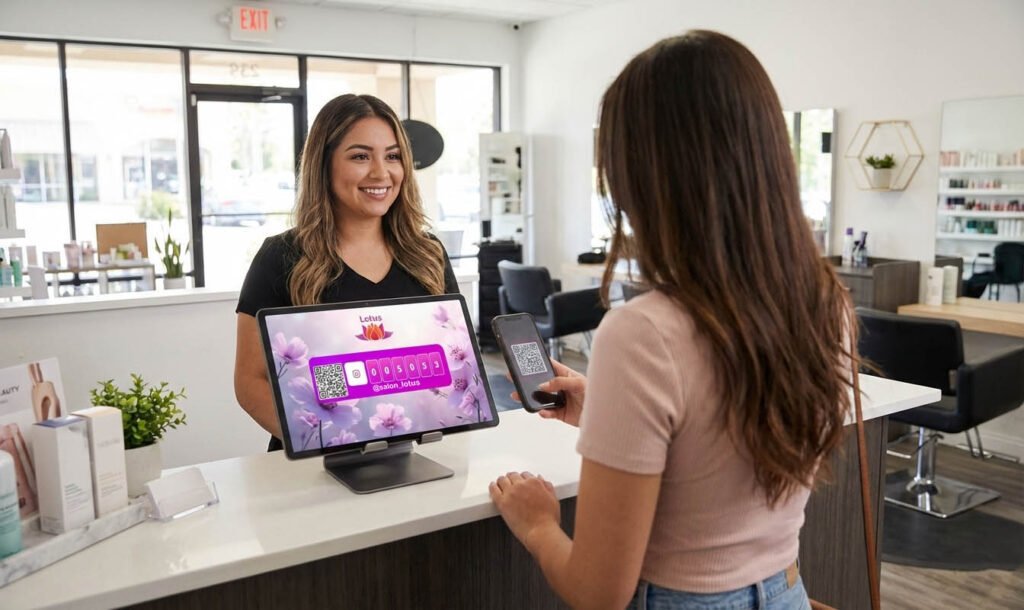
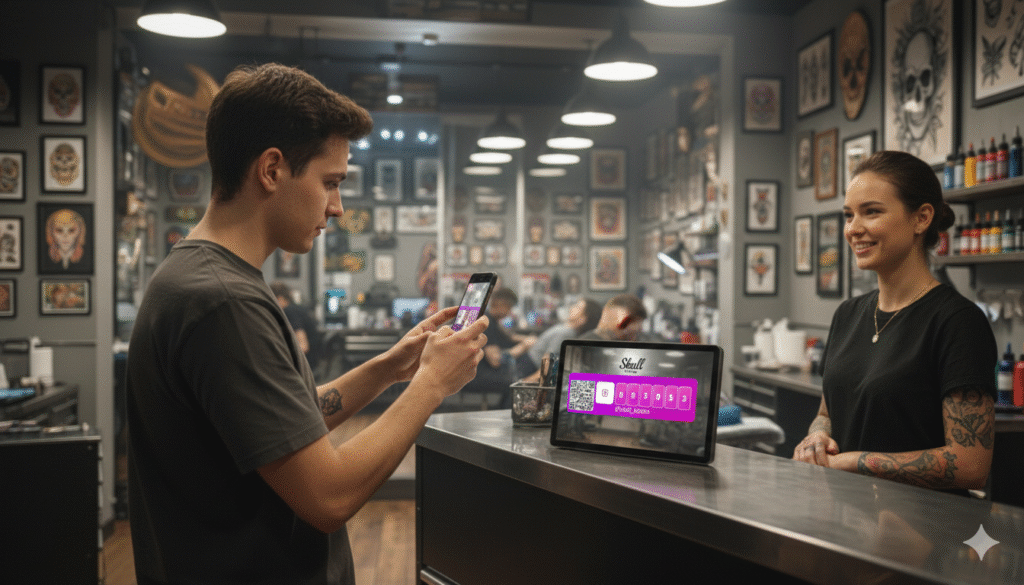
A QR code paired with a live follower counter says “Join 15,847 others who already follow us.”
The psychological difference is massive.
Why This Combination Works
Social proof: A visible follower count proves others find you worth following. If 15,000 people follow, you must be doing something right.
Urgency: Watching numbers grow creates FOMO. “This brand is growing. I should be part of it.”
Validation: After scanning and following, seeing the number tick up rewards the action. “I’m now one of those 15,848 followers.”
Trust: Real-time numbers feel authentic. Static claims (“Over 10,000 followers!”) feel like marketing. Live counters feel like proof.
How to Display This
Option 1: Digital display + QR code A screen showing your live Instagram follower count with a QR code below:
┌─────────────────────────┐
│    📸 @YourBusiness     │
│                         │
│      15,847             │
│      followers          │
│                         │
│   [Live counter]        │
│                         │
│   ┌───────────┐         │
│   │  QR CODE  │         │
│   └───────────┘         │
│                         │
│   Scan to join us!      │
└─────────────────────────┘
Option 2: Multiple platforms Show follower counts for all your platforms:
┌─────────────────────────┐
│   Follow Us             │
│                         │
│   📸 Instagram: 15,847 │
│   📱 TikTok: 8,234      │
│   👍 Facebook: 12,091   │
│                         │
│   [QR codes for each]   │
└─────────────────────────┘
Option 3: Review + Social combo Combine Google Reviews with social following:
┌─────────────────────────┐
│   ⭐ 4.9 from 340       │
│      Google Reviews     │
│                         │
│   📸 15,847 followers   │
│                         │
│   [QR for review]       │
│   [QR for Instagram]    │
└─────────────────────────┘
Services like Social Counters let you display live follower counts from Instagram, TikTok, Facebook, and YouTube alongside QR codes on any screen.
Placement for Counter + QR Combo
This combination works best in high-visibility areas:
- Shop entrance: First impression, establishes credibility
- Waiting areas: Time to scan and engage
- Checkout counter: Transaction moment, high engagement
- Window display: Visible to passersby and customers inside
Platform-Specific QR Code Strategies
Different platforms require slightly different approaches.
Instagram QR Codes
Instagram has built-in QR codes (called Nametags), but direct profile links often work better.
Best practices:
- Link directly to your profile (instagram.com/yourusername)
- Emphasize visual content in your CTA: “See our latest looks”
- Perfect for visual businesses (fashion, food, beauty, design)
CTA examples:
- “📸 Follow for daily inspiration”
- “🎨 See our latest designs”
- “🍕 Making you hungry since 2015”
TikTok QR Codes
TikTok skews younger. Your QR code approach should match.
Best practices:
- Link to your TikTok profile
- Emphasize video content and entertainment
- Use trendy language appropriate to your brand
- Consider showing your TikTok content on a screen nearby
CTA examples:
- “🎬 Watch the behind-the-scenes”
- “😂 We’re funnier on TikTok”
- “✨ See the magic happen”
Facebook QR Codes
Facebook skews older. Adjust your approach.
Best practices:
- Link to your Facebook page
- Emphasize community and updates
- Works well for businesses targeting 35+
- Great for event-based businesses
CTA examples:
- “👍 Join our community”
- “📅 Stay updated on events”
- “🏘️ Connect with local neighbors”
YouTube QR Codes
YouTube requires more commitment (subscribing, watching videos), so the CTA needs to be compelling.
Best practices:
- Link to your channel or a specific popular video
- Emphasize value of content (tutorials, entertainment, information)
- Works best when you have quality video content to offer
CTA examples:
- “🎥 Watch how we make it”
- “📚 Free tutorials every week”
- “🎬 Subscribe for exclusive content”
Multi-Platform Approach
If you’re active on multiple platforms, you have options:
Option 1: Platform-specific locations
- Instagram QR near visual displays
- TikTok QR where younger customers gather
- Facebook QR for community boards
Option 2: One combined display
- Show all platforms with individual QR codes
- Let customers choose their preferred platform
- Display follower counts for all to show total community size
Option 3: Rotate based on priority
- Feature your fastest-growing platform
- Update as strategy shifts
Creative QR Code Applications
Beyond basic “scan to follow” implementations:
The Receipt Revolution
Print a QR code on every receipt:
Thanks for your purchase!

Loved your experience?
Leave us a Google Review: [QR]

Want to see more?
Follow us on Instagram: [QR]
Every transaction becomes a growth opportunity.
Product Packaging
If you sell physical products:
- QR code on the label or box
- Links to social for styling tips, recipes, usage ideas
- “Share your experience #YourBrand”
Table Tents and Menu Inserts
For restaurants and cafes:
┌─────────────────────────┐
│   📸 Share your meal    │
│                         │
│   Tag @YourRestaurant   │
│   for a chance to be    │
│   featured!             │
│                         │
│   [QR to Instagram]     │
│                         │
│   12,456 foodies        │
│   already follow us     │
└─────────────────────────┘
Business Cards 2.0
Include a QR code on your business card:
- Front: Traditional contact info
- Back: QR code to your LinkedIn or primary social platform
Event Marketing
At events, markets, or pop-ups:
- Large QR codes on banners
- QR codes on promotional materials
- “Scan for exclusive event updates”
Staff Integration
Empower your team:
- QR codes on staff name badges
- “Ask me about our Instagram!”
- Staff can prompt scanning during positive interactions
Measuring QR Code Success
What gets measured gets improved.
Tracking Scans
Option 1: URL shorteners with analytics Use Bitly or similar services to create trackable links:
- bit.ly/YourShopInstagram
- Track total scans, scans over time, scan locations (if using different codes)
Option 2: UTM parameters Add tracking to your URLs:
- instagram.com/yourusername?utm_source=qr_checkout
- Track in your analytics platform
Option 3: Platform-specific QR codes Create unique QR codes for different locations:
- Receipt QR vs. Window QR vs. Table tent QR
- Compare performance by location
Metrics to Track
- Scans per day/week: Overall engagement
- Scan-to-follow rate: How many scanners actually follow
- Follower growth rate: Change since implementing QR codes
- Best performing locations: Which placements work best
- Best performing CTAs: Which messages drive more scans
A/B Testing
Test different approaches:
Test variables:
- QR code placement (eye level vs. counter level)
- CTA messaging (“Follow us” vs. “Join 10,000+ followers”)
- Design (minimal vs. branded)
- Platform emphasis (Instagram vs. TikTok)
Run tests for 2-4 weeks to get meaningful data.
Common QR Code Mistakes (And How to Avoid Them)
Mistake 1: No Call-to-Action
Wrong: Just a QR code with no context Right: Clear benefit + instruction + social proof
People need a reason to scan. “Follow us for exclusive deals” is a reason. A naked QR code is a mystery.
Mistake 2: Broken or Wrong Links
Prevention:
- Test every QR code before printing
- Test with multiple phone types
- Check that links go to the right platform/profile
- Update if you change usernames
Mistake 3: Poor Placement
Wrong: Behind the counter, too high, bad lighting Right: Eye level, good lighting, natural pause points
Observe where customers naturally look and pause. Put codes there.
Mistake 4: Too Small
Wrong: Tiny QR code that requires phone touching the surface Right: At least 2×2 cm, larger for distance scanning
When in doubt, go bigger.
Mistake 5: No Social Proof
Wrong: “Follow us on Instagram [QR]” Right: “Join 12,456 followers on Instagram [QR]”
Adding a follower count transforms a request into an invitation to join a community.
Mistake 6: Set and Forget
Wrong: Put up QR codes once, never update or check Right: Regular testing, tracking, and optimization
QR codes can break, links can change, and better placements can emerge. Review regularly.
Implementation Plan: 30 Days to QR Code Growth
Week 1: Audit and Plan
Day 1-2: Audit current state
- Count how many customers visit daily/weekly
- Estimate current offline-to-online conversion rate
- List all potential QR code placement locations
Day 3-5: Platform selection
- Decide which platform(s) to prioritize
- Ensure profiles are optimized and active
- Set baseline follower counts
Day 6-7: Design QR codes
- Create QR codes with tracking
- Design frames with CTAs and social proof
- Test all codes on multiple devices
Week 2: Basic Implementation
Day 8-10: High-priority placements
- Checkout counter
- Waiting area
- Exit points
Day 11-14: Secondary placements
- Receipts
- Business cards
- Table tents or menu inserts
Week 3: Add Follower Counter Displays
Day 15-17: Set up digital displays
- Install screen(s) in key locations
- Connect live follower counters with SocialCounters
- Position QR codes alongside counters
Day 18-21: Train staff
- Explain the goal (converting visitors to followers)
- Train on when/how to mention social media
- Empower them to point out QR codes naturally
Week 4: Optimize
Day 22-25: Analyze initial results
- Review scan data
- Check follower growth rate
- Identify best performing placements
Day 26-28: Optimize
- Double down on working placements
- Remove or relocate underperforming codes
- Test new CTAs
Day 29-30: Document and systematize
- Create standard operating procedures
- Set up regular review schedule
- Plan next phase of expansion
The Math: Why This Matters
Let’s calculate the potential impact:
Assumptions:
- 100 customers per day
- 5% scan your QR code (with good placement + CTA)
- 60% of scanners follow
Daily new followers: 100 × 5% × 60% = 3 followers/day
Monthly: 90 new followers Yearly: 1,080 new followers
Now add a live follower counter showing social proof:
With social proof visible:
- 100 customers per day
- 10% scan your QR code (doubled due to social proof)
- 70% of scanners follow (higher conversion with proof)
Daily new followers: 100 × 10% × 70% = 7 followers/day
Monthly: 210 new followers Yearly: 2,520 new followers
That’s 2.3x more followers just by adding social proof to your QR code display.
And these are warm followers — people who’ve actually visited your business, not random strangers from ads.
Conclusion: Turn Physical Traffic Into Digital Community
You’re already doing the hard work of getting people through your door. You’re already creating experiences worth sharing.
The missing piece is the bridge — converting that physical traffic into digital community.
QR codes are that bridge. They eliminate friction, making following effortless. Combined with live follower counters, they add social proof that multiplies conversion rates.
Every customer who walks out without following you is a missed opportunity. Every day without QR codes is another day of leaving growth on the table.
The implementation is simple. The cost is minimal. The upside is significant.
Start with one QR code at your checkout counter today. Add a follower counter next week. Build from there.
Your social media following is waiting. It’s walking through your door every day.
