
Google Review QR Code Display: Best Solutions for Your Business
You want more Google Reviews. You’ve heard QR codes make it easy. Now you’re looking for the best way to display that QR code in your business.
Smart move.
A Google Review QR code removes the biggest barrier to getting reviews: friction. Instead of asking customers to search for your business, find the review button, and figure out how to write one — they just scan and go.
But here’s what most business owners miss: a QR code alone isn’t enough. How you display it matters just as much as having one.
This guide covers every Google Review QR code display option on the market — from free printouts to premium digital screens — so you can choose what actually gets results.
Why QR Codes Work for Google Reviews
Before comparing solutions, let’s understand why QR codes are so effective.
The traditional way to get a review:
- Customer finishes their visit
- You ask them to leave a review
- They say “sure” and leave
- They forget by the time they get home
- No review
The QR code way:
- Customer sees QR code while still in your business
- They scan with their phone camera
- Google Review page opens instantly
- They write a review on the spot
- Done
QR codes work because they capture the moment. The customer is still happy, still in your business, and has their phone in hand. You’re not hoping they remember later — you’re making it happen now.
Research shows that asking at the right moment dramatically increases review rates. QR codes let you be “asking” 24/7 without saying a word.
How to Create a Google Review QR Code
First, you need the QR code itself. Here’s how:
Step 1: Get Your Google Review Link
- Search for your business on Google
- Click on your business listing
- Click “Ask for reviews” (or find this in Google Business Profile)
- Copy the short link provided
Or manually:
- Find your Place ID using Google’s Place ID Finder
- Create a link:
https://search.google.com/local/writereview?placeid=YOUR_PLACE_ID
Step 2: Generate the QR Code
Use any free QR code generator:
- QR Code Generator (qr-code-generator.com)
- QRCode Monkey (qrcode-monkey.com)
- Canva (has built-in QR generator)
Paste your Google Review link, generate, and download.
That’s it. You now have a QR code. But how you display it determines whether anyone actually uses it.
Option 1: Printed QR Code (Free – €10)
The simplest approach: print your QR code and stick it somewhere.
How it works:
- Print QR code on paper or sticker
- Place on counter, table, wall, or window
- Hope customers notice and scan
Pros:
- Free or nearly free
- Takes 5 minutes to set up
- Can place multiple around your business
Cons:
- Easy to ignore (blends into background)
- Looks unprofessional
- No social proof (customers don’t see your rating)
- Gets dirty, faded, or damaged
- No way to know if anyone scans it
Best for: Businesses with zero budget who want something rather than nothing.
Reality check: Printed QR codes are barely better than nothing. Customers have learned to tune out paper signs. Without your rating displayed, there’s no compelling reason to scan.
Option 2: Acrylic/Plastic QR Stand (€10-30)
A step up from paper: a professional-looking stand that holds your QR code.
How it works:
- Purchase acrylic or plastic display stand
- Insert printed QR code card
- Place on counter
Pros:
- Looks more professional than paper
- Stands upright (more visible)
- Durable
- Relatively cheap
Cons:
- Still static (doesn’t grab attention)
- Still no social proof
- QR code can’t be updated easily
- Blends in with other counter clutter
Best for: Businesses wanting a cleaner look than printed paper but not ready to invest in digital.
Reality check: Better presentation, same fundamental problem — no reason for customers to scan beyond “please review us.”
Option 3: NFC + QR Combo Stands (€25-60)
These stands combine a QR code with NFC (tap-to-review) functionality.
How it works:
- Stand has printed QR code
- NFC chip inside opens review page when phone taps it
- Customers can scan or tap
Pros:
- Two ways to trigger review page
- Feels more high-tech
- Conversation starter
Cons:
- Many customers don’t know how to use NFC
- iPhone NFC can be finicky
- Still no social proof displayed
- More expensive than basic stands
- No real advantage over QR-only
Best for: Tech-forward businesses wanting a modern feel.
Reality check: NFC sounds impressive but adds complexity without solving the core problem. Most customers will still use the QR code — if they notice it at all.
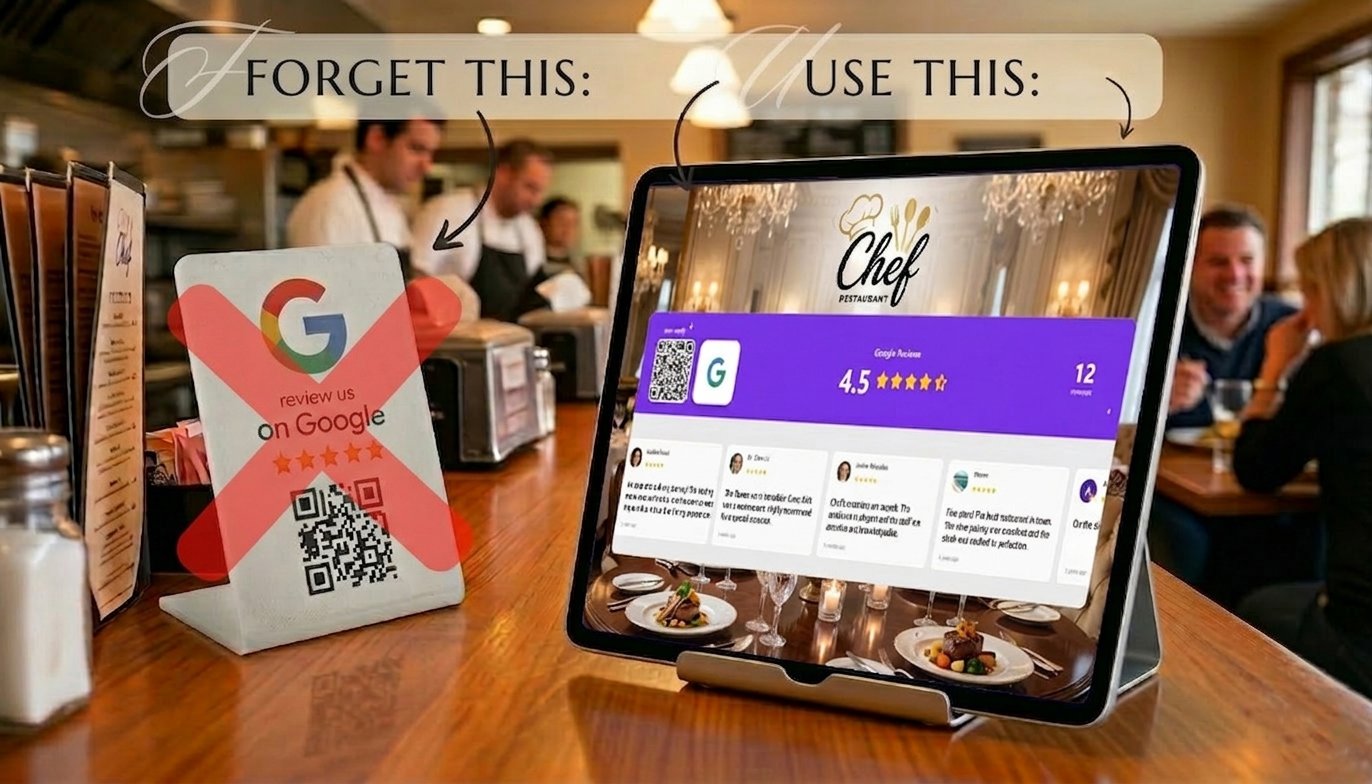
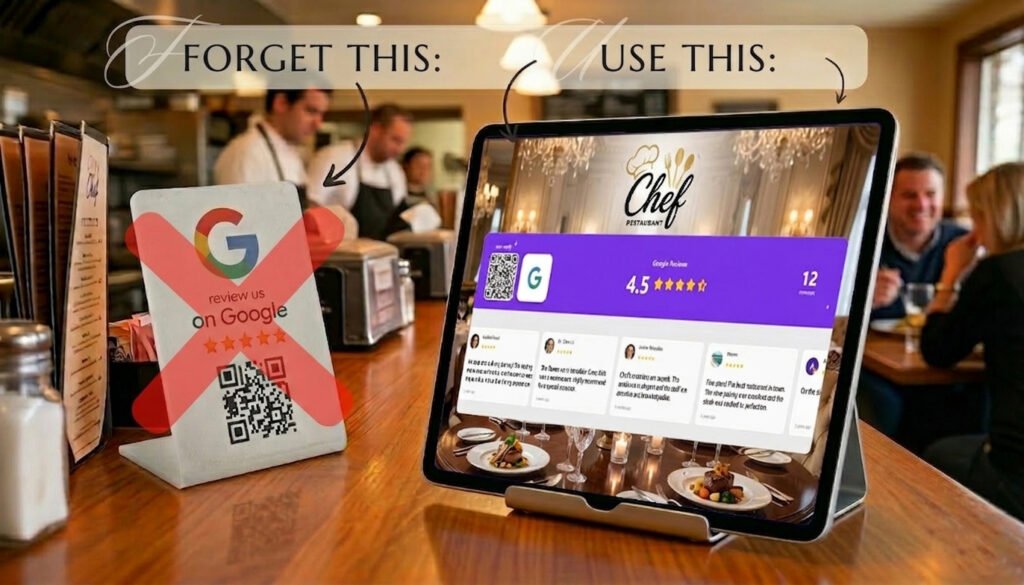
Option 4: Digital QR Code Display (€8-30/month)
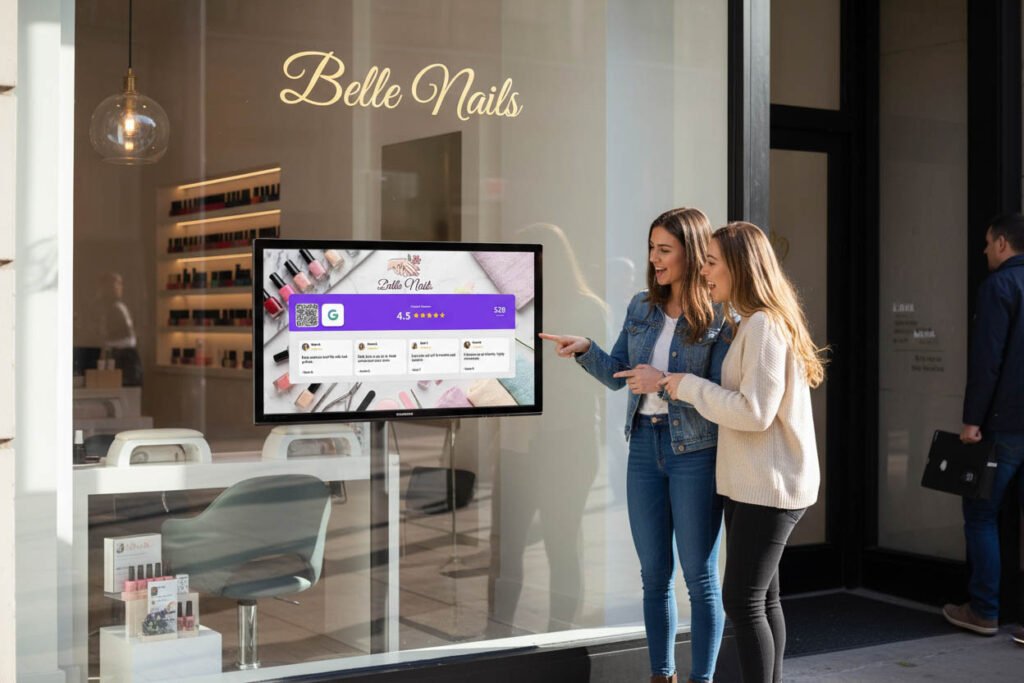
This is where things change dramatically. A screen that shows your QR code alongside your live Google rating, review count, and recent reviews.
How it works:
- Display runs on any tablet, monitor, or TV
- Shows live Google rating and reviews
- QR code prominently displayed
- Updates automatically as new reviews come in
Pros:
- Screens grab attention (movement, light)
- Social proof displayed (rating + review count)
- Recent reviews build trust
- QR code easy to scan
- Can show multiple platforms (Google + Instagram + Facebook)
- Looks premium and professional
- Tracks performance
Cons:
- Requires power
- Monthly subscription cost
- Needs a screen (tablet or monitor)
Best for: Any business serious about growing reviews consistently.
Reality check: Digital displays outperform static options by 3-5x. The combination of social proof + easy action is what drives results.
Why Social Proof + QR Code Is the Winning Combination
Here’s the psychology most businesses miss:
A QR code asks for action. Social proof gives a reason.
When customers see just a QR code with “Review us on Google,” there’s no motivation. Why should they take 2 minutes out of their day?
But when they see:
⭐ 4.8 stars — 247 reviews
“Best coffee in town! Will definitely be back.” “Amazing service, so friendly and quick.”
…followed by a QR code?
Now they have context. They see that hundreds of others reviewed. They see that your rating is strong. Leaving a review feels like joining a community, not doing a favor.
This is the science of social proof in action. When we see others doing something, we’re more likely to do it ourselves. A live review display triggers this instinct in a way that static QR codes never can.
The Best Google Review QR Code Display: SocialCounters
After comparing all options, Social Counters offers the most complete solution for displaying your Google Review QR code effectively.
Here’s why it stands out:
Live Google Reviews
Your real-time rating and review count, always current. Not a number you printed 6 months ago — the actual live stats from your Google Business Profile.
When a new 5-star review comes in, customers see it. That freshness builds trust.
Recent Review Display
Show your latest positive reviews right on the screen. Customers read real feedback from real people. This answers the unspoken question: “What do others think of this place?”
You control which reviews appear — highlight your best ones.
Prominent QR Code
A large, scannable QR code that takes customers directly to your review page. No searching. No typing. Scan and write.
The QR code is displayed alongside your rating, so the “why” and “how” are answered simultaneously.
Multiple Display Modes
Choose how to show your Google Reviews:
- Rating only: Clean, minimal, shows stars and count
- With reviews: Displays recent reviews in a grid or carousel
- Rotation mode: Alternates between Google Reviews and social media counters
Multi-Platform Support
Google Reviews aren’t the only thing that matters. SocialCounters also shows:
- Instagram follower count
- Facebook page likes
- TikTok followers
- YouTube subscribers
One display builds trust across every platform where your customers might find you.
Customizable Design
Match your brand:
- Custom colors and gradients
- Your logo
- Choose which platforms to display
- Multiple layout options
The display looks like part of your business, not a generic add-on.
Works on Any Screen
No special hardware needed. Use:
- An old tablet
- A small countertop monitor
- A TV on the wall
- Any screen you already have
Just open your SocialCounters page and display it. Setup takes 5 minutes.
Comparison: All QR Code Display Options
| Feature | Printed QR | Acrylic Stand | NFC + QR Stand | Social Counters |
|---|---|---|---|---|
| Cost | Free-€10 | €10-30 | €25-60 | €8-30/mo |
| Shows Rating | ❌ | ❌ | ❌ | ✅ Live |
| Shows Reviews | ❌ | ❌ | ❌ | ✅ Live |
| Grabs Attention | ❌ | ❌ | ⚠️ Somewhat | ✅ Yes |
| Social Proof | ❌ | ❌ | ❌ | ✅ Strong |
| Professional Look | ❌ | ⚠️ Basic | ⚠️ Basic | ✅ Premium |
| Auto-Updates | ❌ | ❌ | ❌ | ✅ Yes |
| Multi-Platform | ❌ | ❌ | ❌ | ✅ Yes |
| Trackable | ❌ | ❌ | ❌ | ✅ Yes |
What Results Can You Expect?
Businesses switching from static QR displays to SocialCounters typically see:
- 3-5x more reviews per month compared to printed/plastic displays
- Higher scan rates because screens attract attention
- Better quality reviews from customers who feel connected to your brand
- Compound growth as more reviews attract more reviews
The math works in your favor. If a €20/month display generates just 5 extra reviews, each review costs €4. Given that one star rating increase can mean 5-9% more revenue, those reviews pay for themselves immediately.
Where to Place Your QR Code Display
Location matters. The best spots:
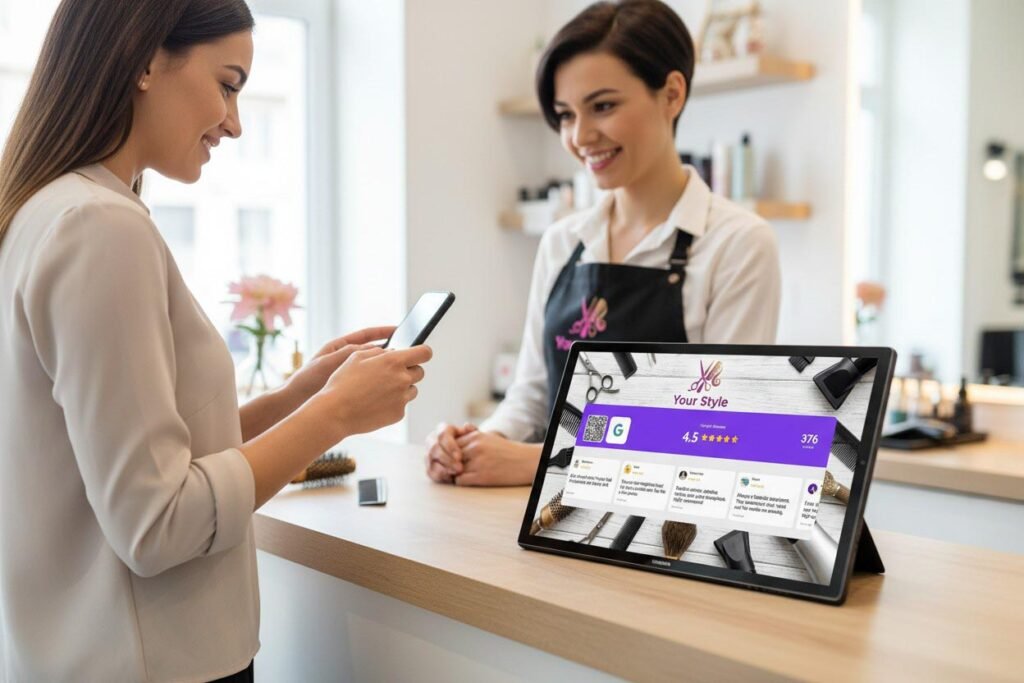
Near the register: Customers waiting to pay have time to scan. They’ve just completed their purchase — satisfaction is high.
On tables (restaurants/cafes): Customers sitting down have extended time. Place tablets on tables or QR codes on table tents.
In waiting areas: Salons, clinics, service businesses — anywhere customers wait is prime territory.
Near the exit: Last impression before leaving. Works especially well with a screen showing your rating.
Avoid:
- Entrances (customers haven’t experienced your service yet)
- Behind counters facing staff
- Too high or too low to scan easily
- Hidden by products or clutter
Building a Complete Review System
A QR code display is powerful, but it’s even more effective as part of a complete Google Review system.
Combine your display with:
- Staff training — Teach your team to mention the display naturally
- Follow-up emails — Capture reviews from customers who didn’t scan in-store
- Response strategy — Reply to every review to encourage more
- Tracking — Monitor your review growth weekly
The display does the heavy lifting automatically. These additions maximize results.
Common Questions
Can I use my existing tablet? Yes. SocialCounters works on any tablet (iPad, Android) or any screen with a web browser.
How do customers scan the QR code? They open their phone camera and point it at the code. Most modern phones recognize QR codes automatically — no app needed.
What if my rating is low? Even a 4.0 rating benefits from display. The key is showing you’re transparent and active. As more reviews come in, your rating will improve.
Can I hide negative reviews on the display? Yes. You control which reviews appear on your SocialCounters display. Show your best ones.
Does this replace asking customers for reviews? It complements it. The display works passively 24/7. Staff can still mention it verbally for extra impact.
The Bottom Line
A Google Review QR code is only as effective as how you display it.
Paper printouts: Free but invisible. Plastic stands: Cheap but forgettable. NFC combos: Gimmicky and overcomplicated. Digital displays: Actually work.
The winning formula is simple: social proof + QR code + attention-grabbing display.
SocialCounters combines all three. Your live rating builds trust. Your recent reviews build credibility. Your QR code makes action instant. And the screen ensures customers actually notice.
Stop hoping customers see your paper QR code. Start showing them why they should scan it.
Get Started Today
SocialCounters displays your live Google rating, recent reviews, and QR code on any screen. Add Instagram, Facebook, TikTok, and YouTube follower counts for complete social proof.
Setup takes 5 minutes. No technical skills needed.
