
Digital Google Review Display: Best Options for Retail Stores
You’ve worked hard for those five-star reviews. Why hide them on a screen nobody sees?
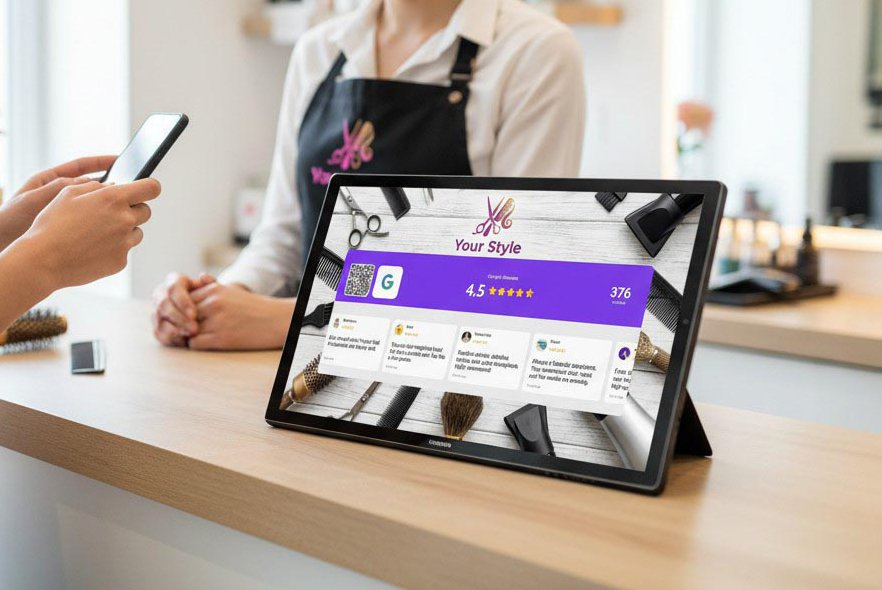
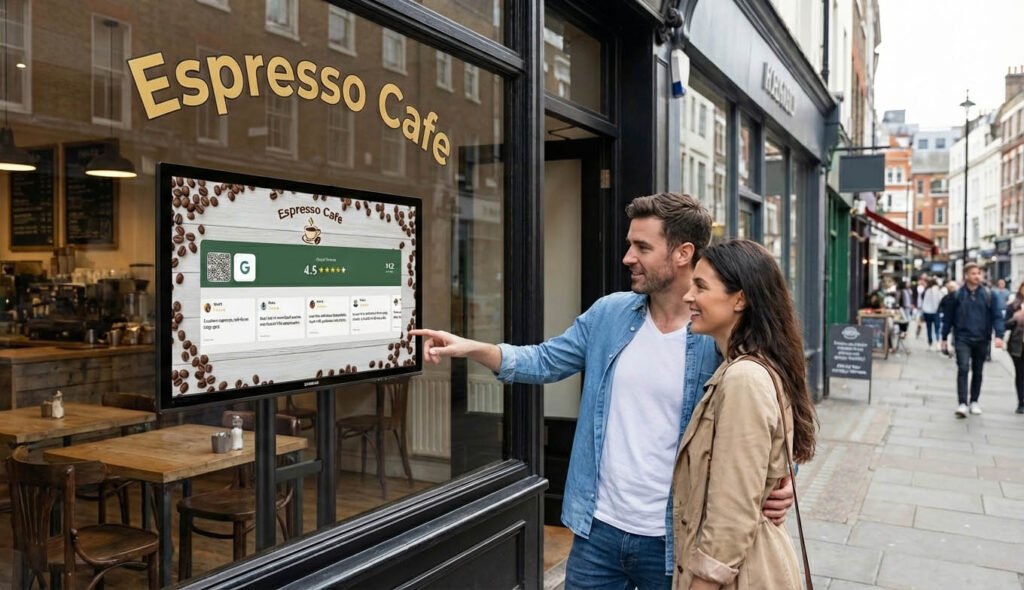
A digital Google Review display puts your best reviews right in front of customers — where they actually influence buying decisions. Instead of hoping people Google you later, you show them the proof while they’re standing in your store.
But which display should you buy? The options range from expensive digital signage systems to simple tablet setups. Some show reviews beautifully. Others are overpriced and overcomplicated.
This guide breaks down the best options for retail stores, with real pricing and honest pros and cons.
Why Display Google Reviews In-Store?
Before diving into products, let’s be clear on why this matters.
When a customer walks into your store, they’re already interested. But interested isn’t the same as convinced. They’re still deciding whether to buy, how much to spend, and whether they trust you.
Displaying your Google reviews answers that trust question immediately.
A screen showing “4.8 stars from 240 reviews” with real customer testimonials does something powerful: it turns online reputation into in-store persuasion. The customer thinks, “Other people love this place. I’m making a good choice.”
This is social proof in action, and it’s one of the most reliable ways to increase conversions without changing anything else about your business.
There’s a secondary benefit too: displaying reviews reminds happy customers to leave their own. They see the review screen, remember their own good experience, and think “I should do that too.” Especially if there’s a QR code right there to make it easy.
What to Look for in a Google Review Display
Not all displays are created equal. Here’s what actually matters:
Live updates: Your reviews should update automatically. A display showing reviews from six months ago looks stale.
Review carousel or ticker: Showing one review at a time is fine. Rotating through multiple reviews is better — it keeps the display dynamic and shows depth.
Star rating visibility: The overall rating (4.8 stars, etc.) should be prominent. That number is what people notice first.
QR code for new reviews: The best displays include a scannable code that takes customers directly to your Google review page. Display + collection in one.
Easy setup: You’re running a store, not an IT department. If it takes more than 15 minutes to set up, it’s too complicated.
Reasonable price: Enterprise digital signage systems cost thousands. You don’t need that. Good options exist for under €10/month.
Option 1: Social Counters (Best Overall Value)
Price: Free plan available but without Google reviews, But with the Premium plan for only €7.99/month, you can show your Google reviews to your customers. Setup time: Under 5 minutes Hardware needed: Any tablet, phone, or screen with a browser
Social Counters is a web-based platform that displays your Google Reviews rating, a scrolling carousel of your best reviews, and a QR code for customers to leave new reviews.
But it does more than just reviews. You can also display your live follower counts from Instagram, Facebook, TikTok, and YouTube — all on one screen. For retail stores that want to grow both reviews and social following, this is a major advantage.
How it works:
- Create a free account at socialcounters.com
- Connect your Google Business Profile
- Customize colors and layout
- Open your unique display URL on any device (or the Android app)
- Done — your reviews are live
The display updates automatically. Reviews refresh 2 times a day. The interface is clean and professional, and you can match it to your store’s branding.
Pros:
- Shows Google Reviews + social media followers on one display
- Built-in QR codes for reviews and follows
- Works on any device (no special hardware)
- Free plan available for testing
- Android app for dedicated kiosk displays
Cons:
- Requires internet connection
- Free plan limited to one platform
Best for: Retail stores that want an all-in-one social proof display without buying expensive hardware.
For more details, see this overview of SocialCounters features.

Option 2: Dedicated Digital Signage Software
Price: €20-200/month depending on provider Setup time: 30 minutes to several hours Hardware needed: Commercial display or smart TV, media player
Digital signage platforms like Yodeck, ScreenCloud, or Rise Vision can display Google Reviews as part of a broader content rotation — alongside promotions, menus, and other media.
These are powerful systems, but they’re designed for businesses with complex signage needs. If you just want to show reviews, they’re overkill.
Pros:
- Highly customizable
- Can display multiple content types
- Professional-grade reliability
Cons:
- Expensive monthly fees
- Steep learning curve
- Often requires dedicated hardware
- Google Reviews may require additional apps or integrations
Best for: Large retailers with existing digital signage infrastructure who want to add reviews to their rotation.
Option 3: DIY Tablet + Google Search
Price: Free (just hardware cost) Setup time: 5 minutes Hardware needed: Any tablet
The simplest approach: open Google on a tablet, search your business, and leave it on the reviews tab.
It’s free, it’s simple, and it technically shows your reviews.
But there are problems.
Pros:
- Completely free
- No account needed
- Shows real-time reviews
Cons:
- Looks unprofessional (Google’s interface, not your brand)
- No QR code for new reviews
- Screen may timeout or show notifications
- Doesn’t display your overall rating prominently
- No carousel or dynamic display
Best for: Testing the concept before investing in a proper solution.
Option 4: Custom Review Widget on a Screen
Price: Varies (some free, some paid) Setup time: 15-60 minutes Hardware needed: Tablet, TV, or display
Several services let you create embeddable review widgets that pull from Google. You display this widget on a screen in your store.
Examples include EmbedSocial, Taggbox, and Elfsight.
These work well for websites but aren’t really designed for in-store displays. You’ll need to fiddle with sizing, figure out how to run a browser in kiosk mode, and the visual design may not be ideal for a physical screen.
Pros:
- Pulls real Google reviews
- Some customization options
- Can work on any browser
Cons:
- Designed for websites, not in-store displays
- Setup can be technical
- Monthly fees for good features
- No follower counts or QR codes included
Best for: Stores that already use these widgets on their website and want to reuse them in-store.
Option 5: Static Printed Display
Price: €10-50 one-time Setup time: 10 minutes Hardware needed: None (just a printed sign or frame)
Don’t overlook the obvious: a nicely designed sign or framed print showing your Google rating and a QR code for reviews.
No electricity. No software. No monthly fees.
The downside is it’s static. You can’t show a scrolling carousel of reviews, and your rating doesn’t update automatically. If you go from 4.6 to 4.8 stars, you need to reprint.
Pros:
- One-time cost
- No technical setup
- Works everywhere, no power needed
Cons:
- Static (doesn’t update)
- Can’t show actual review text
- Less dynamic and eye-catching
Best for: Small stores wanting a simple, low-tech option. Great as a supplement to a digital display.
For QR code setup tips, see this guide on Google Review QR displays.
Comparison Table
| Option | Google Reviews | Social Followers | QR Code | Monthly Cost | Setup |
|---|---|---|---|---|---|
| SocialCounters | ✅ | ✅ | ✅ | €0-7.99 | 5 min |
| Digital Signage | ✅ (with add-ons) | ❌ | ❌ | €20-200 | 30+ min |
| DIY Google Tab | ✅ (basic) | ❌ | ❌ | Free | 5 min |
| Widget Services | ✅ | ❌ | ❌ | €10-50 | 15-60 min |
| Static Print | ⚠️ (rating only) | ❌ | ✅ | One-time | 10 min |
Which Should You Choose?
Choose Social Counters if:
- You want Google Reviews + social followers in one display
- You don’t want to buy expensive hardware
- You want built-in QR codes for reviews and follows
- You want to start free and upgrade later
Choose digital signage if:
- You already have a signage system and want to add reviews
- You need complex content rotation (menus, promos, etc.)
- Budget isn’t a concern
Choose static print if:
- You want zero tech and zero monthly fees
- You’re supplementing a digital display, not replacing it
- Your review count and rating are already strong
For most retail stores, SocialCounters hits the sweet spot: professional display, easy setup, affordable pricing, and features that actually drive more reviews and followers.
Placement Tips for Maximum Impact
Where you put your display matters as much as what you display.
Best locations:
- Checkout counter: Customers are standing still, looking for something to focus on
- Waiting area: If customers wait (fitting rooms, service counter), give them something to look at
- Entrance: Build trust before they even start shopping
- Window display: Attract passersby with social proof
Avoid:
- Spots where screens get direct sunlight (hard to read)
- Areas where customers are rushing past
- Hidden corners nobody looks at
Getting More Reviews to Display
A review display works best when you have reviews to show. If you’re just starting out, focus on getting more Google reviews before investing heavily in display hardware.
The good news: having a display helps you get more reviews. Customers see the QR code, remember to leave feedback, and your review count grows. It’s a flywheel.
For specific tactics, check out how to ask customers for Google reviews without being awkward.
Final Recommendation
For retail stores the best Google Review display is one that:
- Updates automatically
- Looks professional
- Includes a QR code for new reviews
- Doesn’t cost a fortune
- Takes minutes to set up
SocialCounters checks all five boxes, which is why it’s our top recommendation. But whatever you choose, displaying your reviews in-store is one of the highest-ROI moves you can make.
Your reviews are already working for you online. Put them to work offline too.
